
How to Check Your NOL Card Expiry in Just Minutes
If you’re planning a trip to Dubai, make sure to keep your NOL Card ready, as it’s your key to a hassle-free and convenient travel across the city. The public transport in Dubai, such as Metro, buses, and trams, provides tourists with a seamless travel experience by offering ease in fare payments using their NOL cards.
However, checking your NOL card expiry before starting your journey is important to avoid inconvenience or delays during the trip. A quick check will save you time for exploring more spots and make your tour more cherished.
Let’s have a look at how you can check NOL card expiry in a few simple steps.
How to Check NOL Card Expiry Date? 5 Easy & Quick Ways
Checking your NOL card’s expiry is a simple process that can be done both online and offline. You can find out the expiry date using any of the following methods:
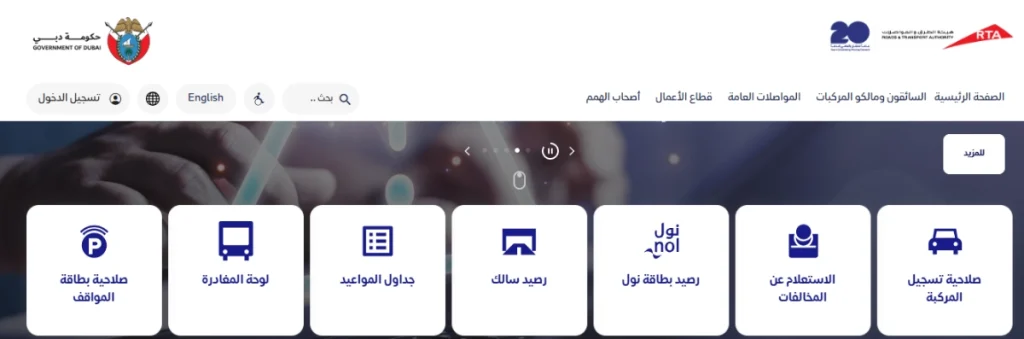
Official RTA Website
Inquiring about the NOL card expiry date online through the official RTA (Roads and Transport Authority) website involves the following quick steps:
Mobile App
NOL card expiry check through a mobile app is much faster and quicker. Just follow the simple steps below and know the NOL card expiration date in a few steps:
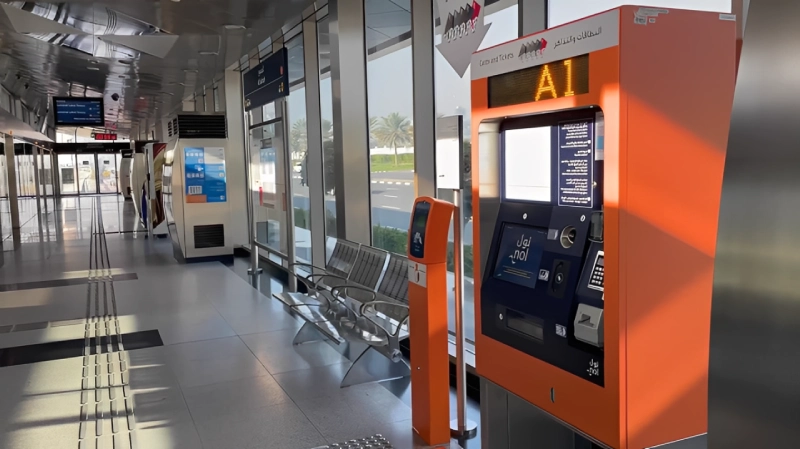
Metro Stations
Vending machines at Metro stations are another fast and convenient way to check your expiry date. For this:
RTA Customer Care Center
The RTA Customer Care Center is available 24/7 to assist with customer inquiries. If you have time, visiting the center in person can be especially helpful. You will get complete and accurate information about your NOL card, including expiry, balance, and usage details.
Parking Meter
RTA Parking Meters are digital machines installed across Dubai through which you can easily clear dues for public parking with your Nol Card. Checking NOL expiry status via Parking Meter involves the following steps:
What is the Validity Period of NOL Cards?
Generally, the validity period of NOL cards is from 3-5 years, depending on the type of card the person holds, such as:
| Type of NOL Card | Validity Period |
|---|---|
| Personalised NOL Card (Blue Card) | 5 Years |
| Gold, Silver, Red Card | 5 Years (Except for the Red Ticket, having a validity period of 3 Months) |
| Corporate NOL Card | 5 Years |
Key Steps to Take When Your NOL Card is Near Expire
If your NOL card is about to expire, you must take some actions in advance to avoid inconvenience or travel delays, such as:
How to Renew Your Expired NOL Card?
Has your NOL card expired, or is it near expiration? Renewing it on time is necessary to continue using public transport in Dubai. The process is quite simple, for which you just have to follow the mentioned steps based on the method you are using for renewal.
NOL Card Renewal Via RTA Website
Applying for NOL renewal through the official RTA website is a quick and few-step process. Simply go to the Dubai Roads and Transport Authority’s official website at https://www.rta.ae/ and click on the ‘card Renewal’ option. Enter your card details and pay the renewal fee. You will get your new NOL card within a few days.
Card Renewal Via Mobile App
RTA’s official mobile application is another great option for renewing your nol card from the comfort of your home. Install the app on your mobile and sign up with your credentials. Click on the ‘NOL Renewal’ section and enter your details in the provided space to initiate the card renewal process. You will receive the new card after a few days of submitting your application.
NOL Renewal Through Metro Stations
Through Dubai’s Metro Stations, you can easily apply for a new card by simply submitting your old card first and then initiating the card renewal process.
Note: Card renewal is NOT possible for Silver, Gold, or Red NOL Cards; instead, you have to purchase a new card once the existing card expires.
How to Recharge a NOL Card After Renewal?
Once you’ve renewed your NOL Card, you’ll need to recharge it to continue using public transport in Dubai. You can recharge NOL Card balance through RTA’s official website or mobile app, its Customer Service Department, or via vending machines of Metro/bus stations.
Additionally, you can also recharge your NOL balance offline from supermarkets or retail outlets across Dubai. The updated balance is usually reflected in your account within a few moments, which allows you to resume your travel without delay.